The Additional page script lets you define custom JavaScript that Newired can run on the target application page when the Overlay starts.
It is usefull for defining the Customer Properties for instance.
The script is disabled by default. It is loaded only when both site Advanced Settings are enabled:
overlayApi.enabledmust be set totrue.preloadScript.enabledmust be set totrue.
You can edit the script in Site > Advanced Settings, in the Additional page script section.
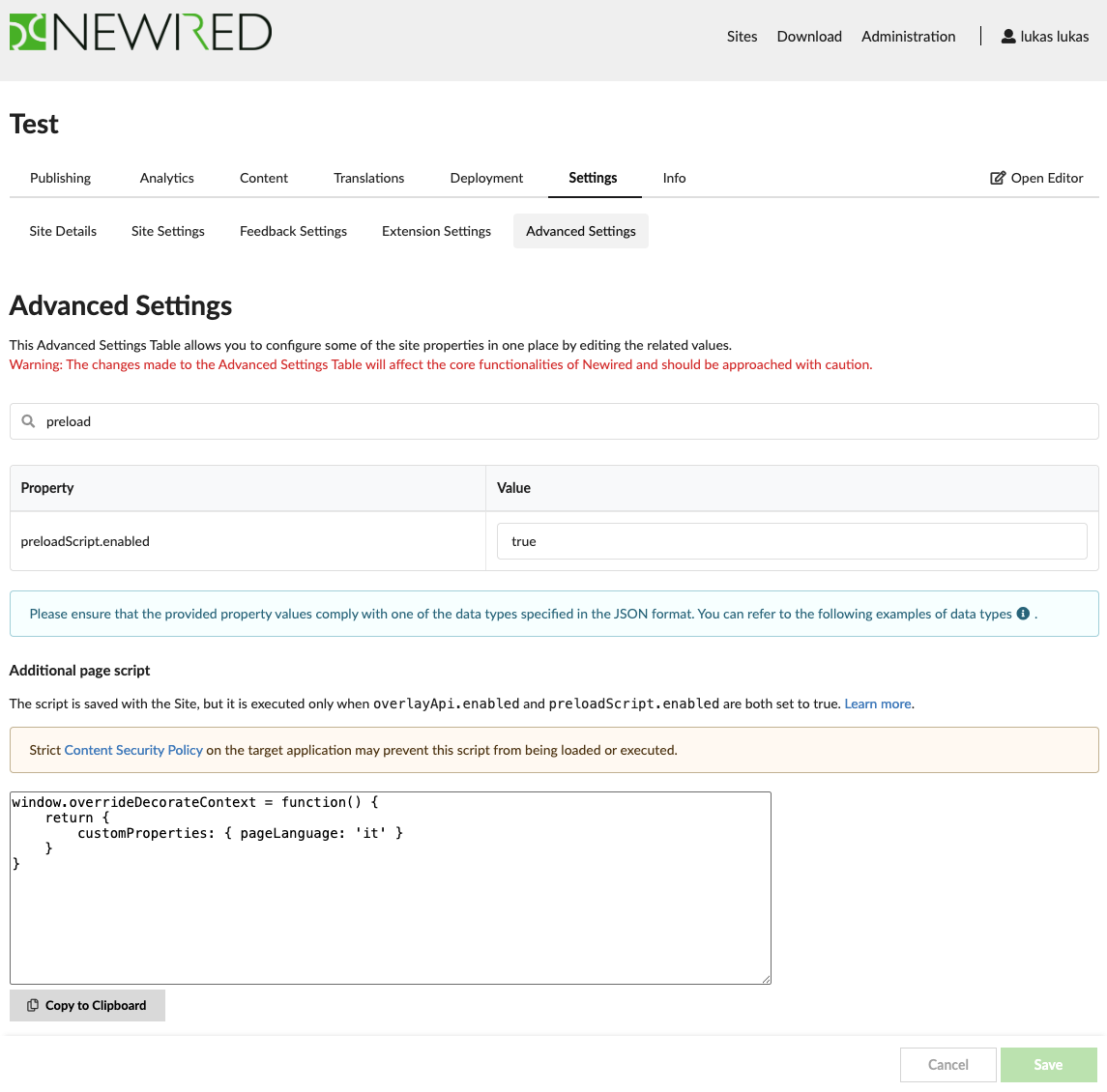
The script runs in the target application page context. Strict Content Security Policy may prevent it from being loaded or executed. See CSP troubleshooting for more details.
Was this article helpful?
That’s Great!
Thank you for your feedback
Sorry! We couldn't be helpful
Thank you for your feedback
Feedback sent
We appreciate your effort and will try to fix the article