One of the option how to create and edit Hints and Bookmarks is Toolbar.
It is visible in the upper part of the Editor. By default you can see these buttons: Create new Journey, Create new Hint, Create new Bookmark and Create new Playbook.
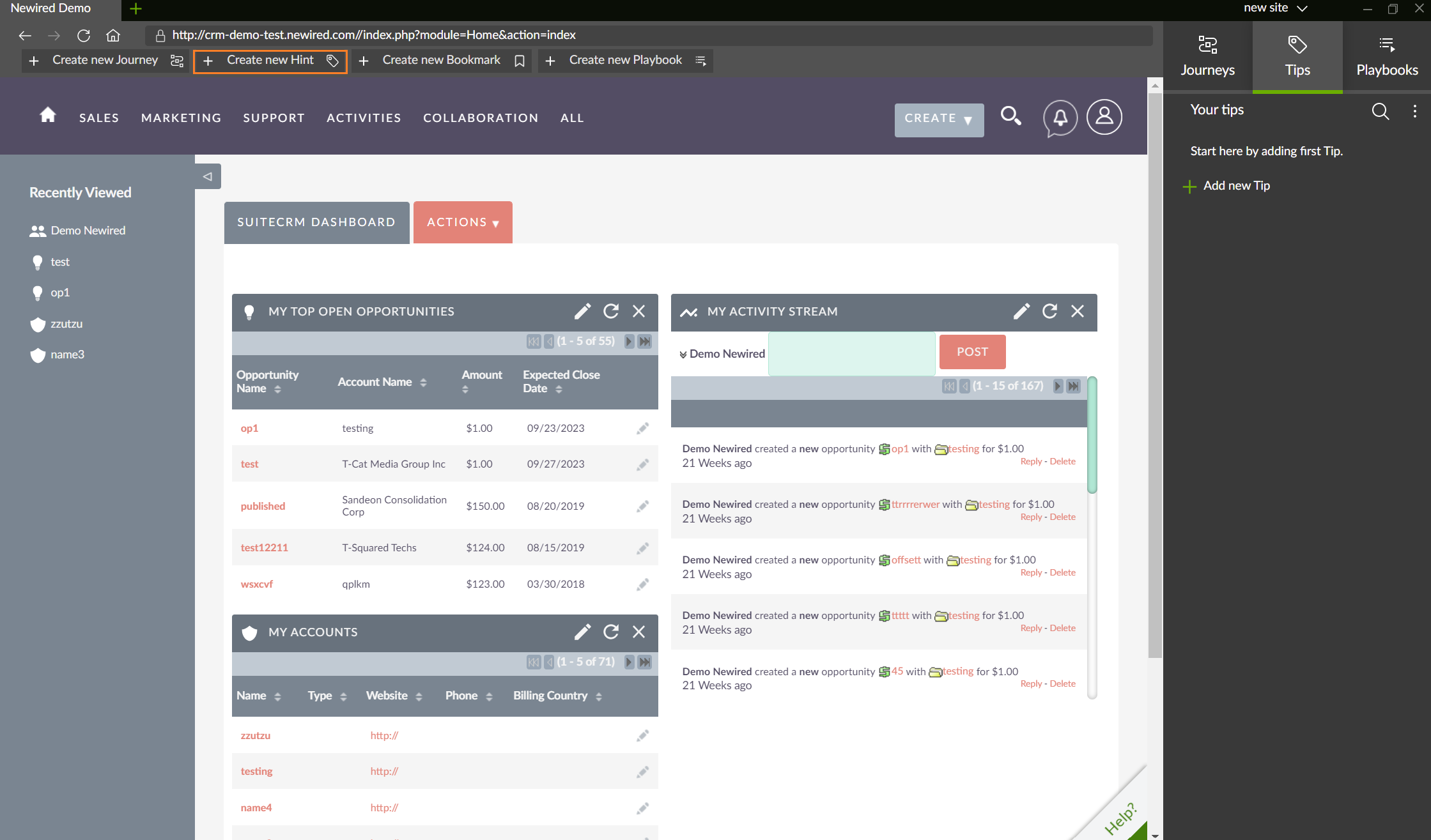
By clicking on Create new Hint or Bookmark, a selector appears and you are able to attach a Hint or Bookmark to an element.
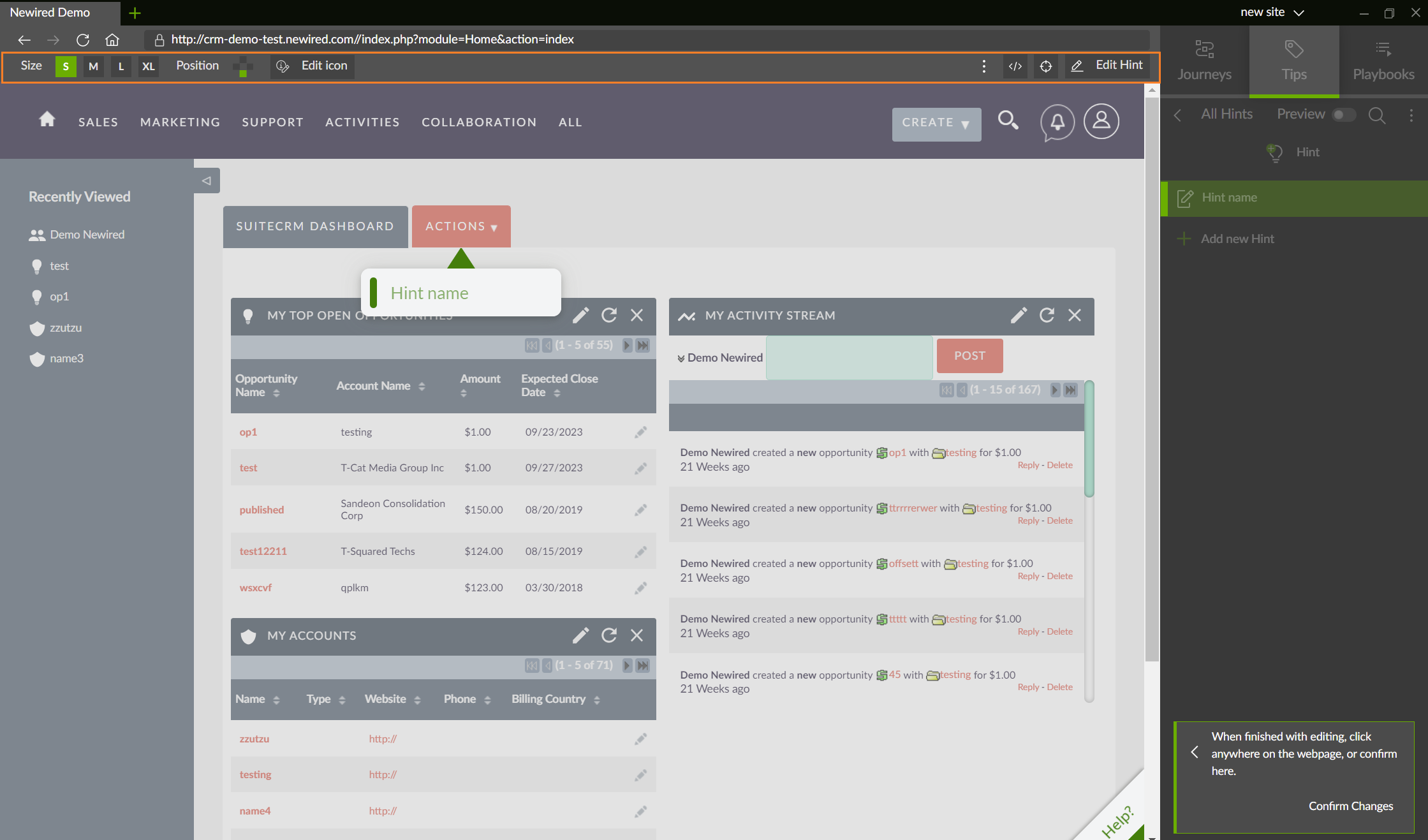
When you create a Hint or Bookmark, the Toolbar changes and you are able to use it for editing, without opening the Edit dialog.
If Edit dialog is needed, you can open it by clicking on Edit Hint/Edit Bookmark.
Was this article helpful?
That’s Great!
Thank you for your feedback
Sorry! We couldn't be helpful
Thank you for your feedback
Feedback sent
We appreciate your effort and will try to fix the article